List Navigation
This is currently the best first example because it is small, but it still behaves like a real application.
Unlike a minimal “render one line of text” demo, this example already gives you:
- one main content area
- one selectable list
- one footer
- visible state changes driven by interaction
That makes it a much better learning surface.
What this example demonstrates
List- focus traversal
- selection changes
- footer updates
Widgets to study alongside this example
Why this is a good first example
It avoids the things that would distract from the core model:
- no background sampling
- no remote loading
- no complex viewport/history semantics
- no multi-pane shell
That means you can focus on:
- how state is modeled
- how the component tree is declared
- how input flows into the runtime
- how selection updates another part of the UI
Run it
cargo run -p ansiq-examples --example list_navigation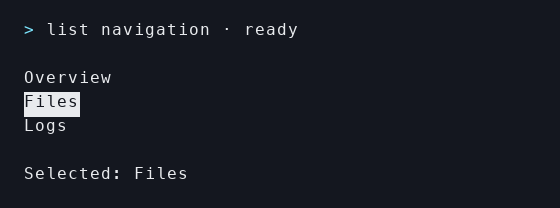
The real list_navigation example running in a terminal.
When you run it, try three things:
- move with
Up / Down - see the footer react to the selection
- use
Tabto understand how focus traversal behaves
Those three actions are enough to build an intuition for Ansiq as a runtime-driven UI system, not just as a static widget collection.
What to look at in the code
Read this example in this order:
- the scenario state
- the
render()tree - how list selection drives the footer
If you start by staring at every widget builder method, you will miss the more important idea: this example is teaching you how a tiny app shell behaves under Ansiq’s runtime.
What this example does not try to teach
This example intentionally does not include:
- continuity keys
- scrollback/history
- a complex shell
- system or network IO
Those are important topics, but not the right first step.
Internals worth reading next
Once the visible behavior feels clear, this example maps cleanly onto:
Where to go next
After this example, the best next reads are:
- Table Interaction
- or the Guide pages Quick Start and Your First App
If you want to map this example directly onto the Guide, read in this order: